On your computer
Built-in analysis and report generation work offline. Optional integrations and separately configured workers have their own setup and data handling.
Compare chapters. Read the passages. Make your own editorial decisions.
Lixity is a local manuscript analysis tool for authors, editors and researchers. Compare sentence rhythm, vocabulary, dialogue and tense across chapters, then open paragraphs to read the text, source lines and local measurements. Does a change serve the scene?
Built-in analysis runs on your computer without cloud calls or an account. It does not rewrite your prose.
Current release: v0.7.0 · Articles. Explore the read-only example without installation or uploading a manuscript.
Four choices shape every number and every screen.
Built-in analysis and report generation work offline. Optional integrations and separately configured workers have their own setup and data handling.
Chapters are compared against your manuscript's own middle values and spread. A deliberate change of voice or register can explain a difference.
Chapter measurements describe whole chapters. Paragraph panels show the text, source lines and separate local measurements, with a place for your notes.
Short chapters are marked "not comparable" instead of ranked. Signals support your review; they are not a quality score.
From install to your first reviewed passage.
uv tool install --python 3.12 --managed-python lixity, then lixity service start --open. Installation guide
Choose your manuscript folder. Lixity reads Markdown and keeps everything in place.
Review flagged passages, then open a paragraph to read its text, source lines and local measurements. Three-minute first look
Intentional voices and local repetition: name chapter registers in Project Settings and review local word echoes with the CLI.
Read the workflows: Intentional registers · Local word echoes.
Sentence rhythm, vocabulary, readability, dialogue dynamics and tense — measured per chapter, with the data requirements stated where they matter.
Density values count word-pattern matches per 1,000 words; they are heuristic counts, not a grammatical analysis. Where a value cannot say something useful, the panel explains why instead of showing a number.
How to read the results
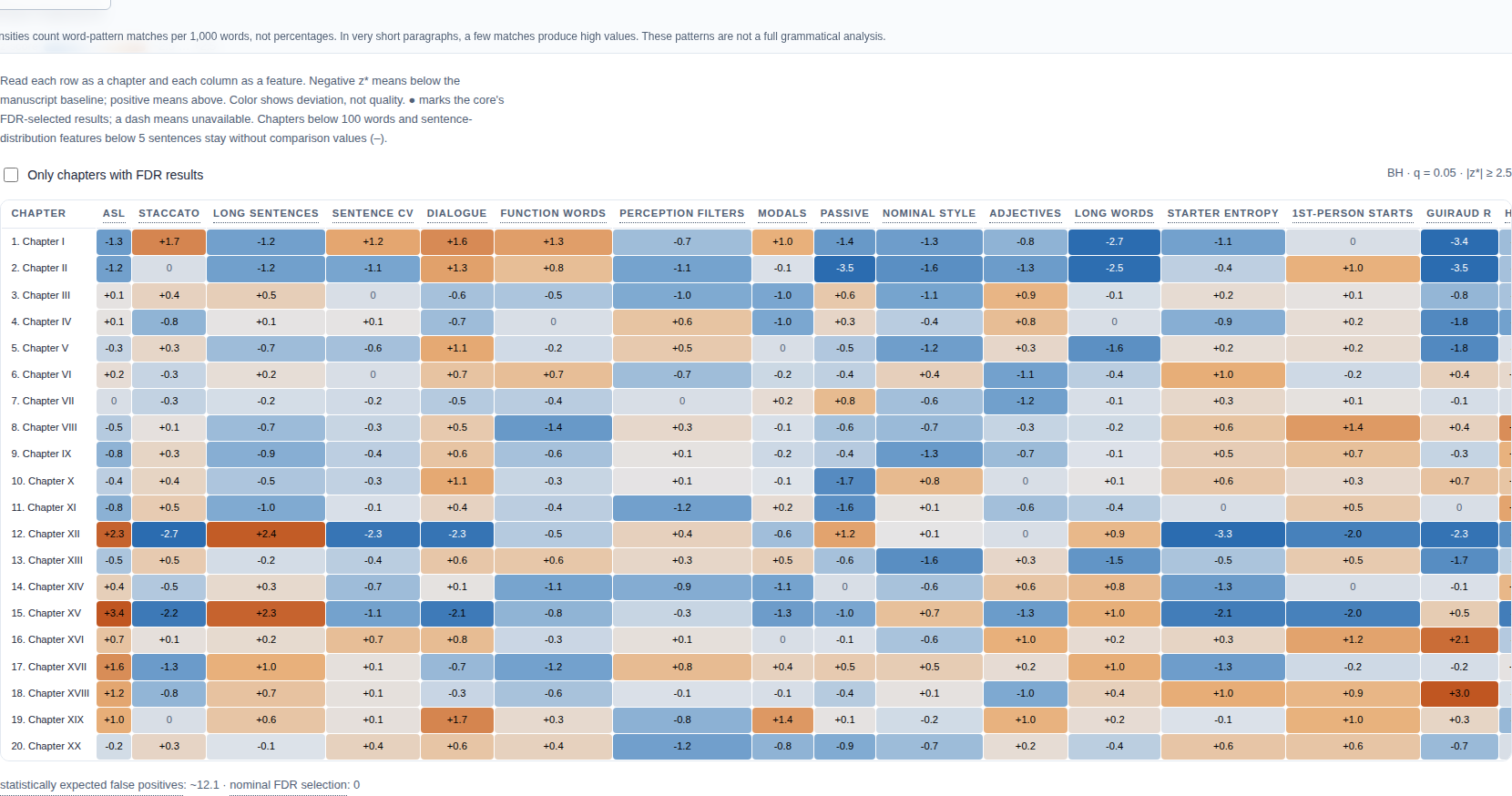
The chapter map shows where the book is noticeably different from itself. Colours give the direction; the tooltip names the measure and the value.
Comparisons use the book's own middle values and typical spread, with an adjustment for estimated sampling noise. Chapter comparisons need at least the documented sample size; the panel says so instead of guessing.
Open the chapter map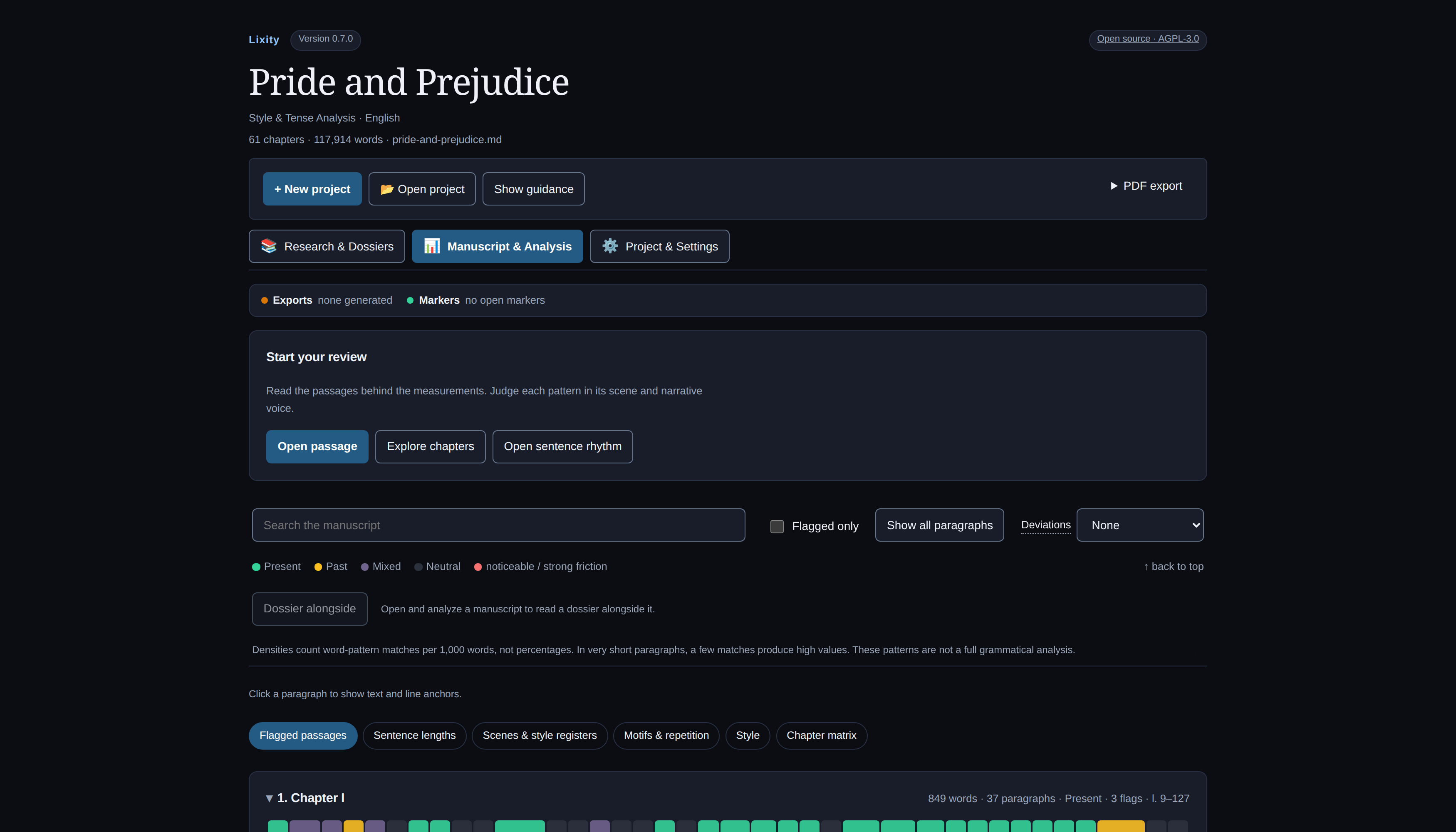
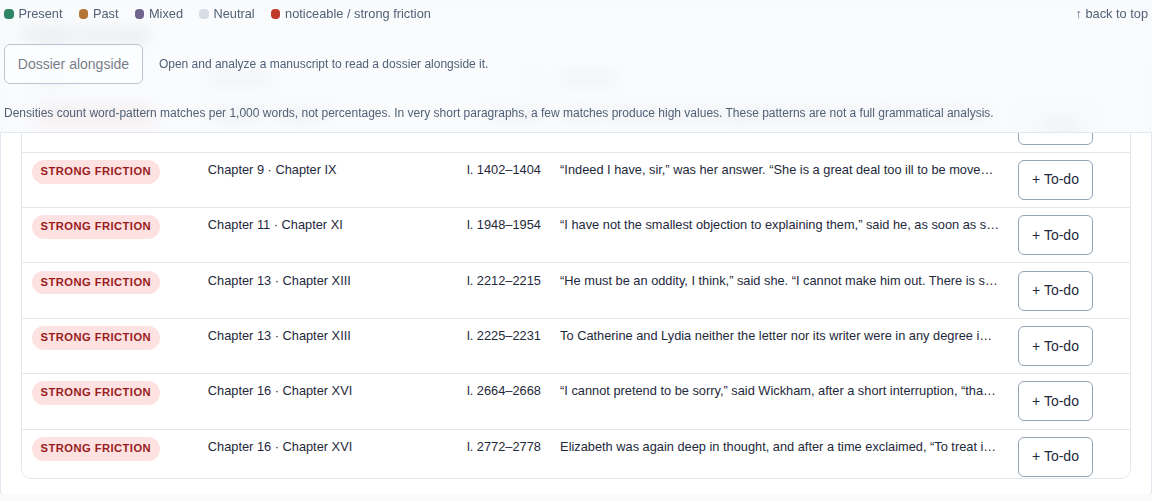
The review loop starts at the flagged list: every paragraph that meets your severity threshold, sorted by strength and line. Click a row and the passage opens, with its source lines and measurements.
Notes you write stay in the manuscript as Markdown comments — invisible while reading, listed later in the work markers. Nothing is rewritten for you.
Open the flagged list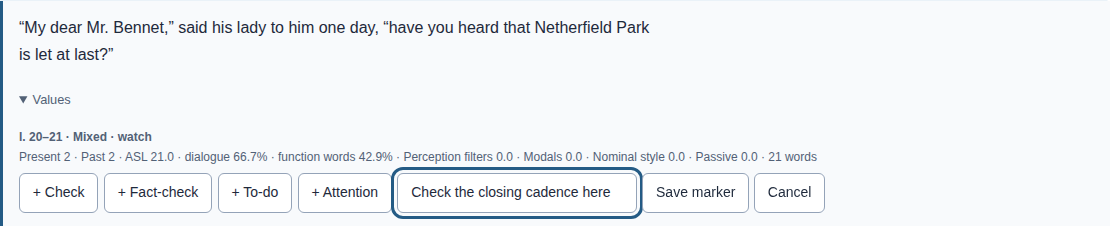
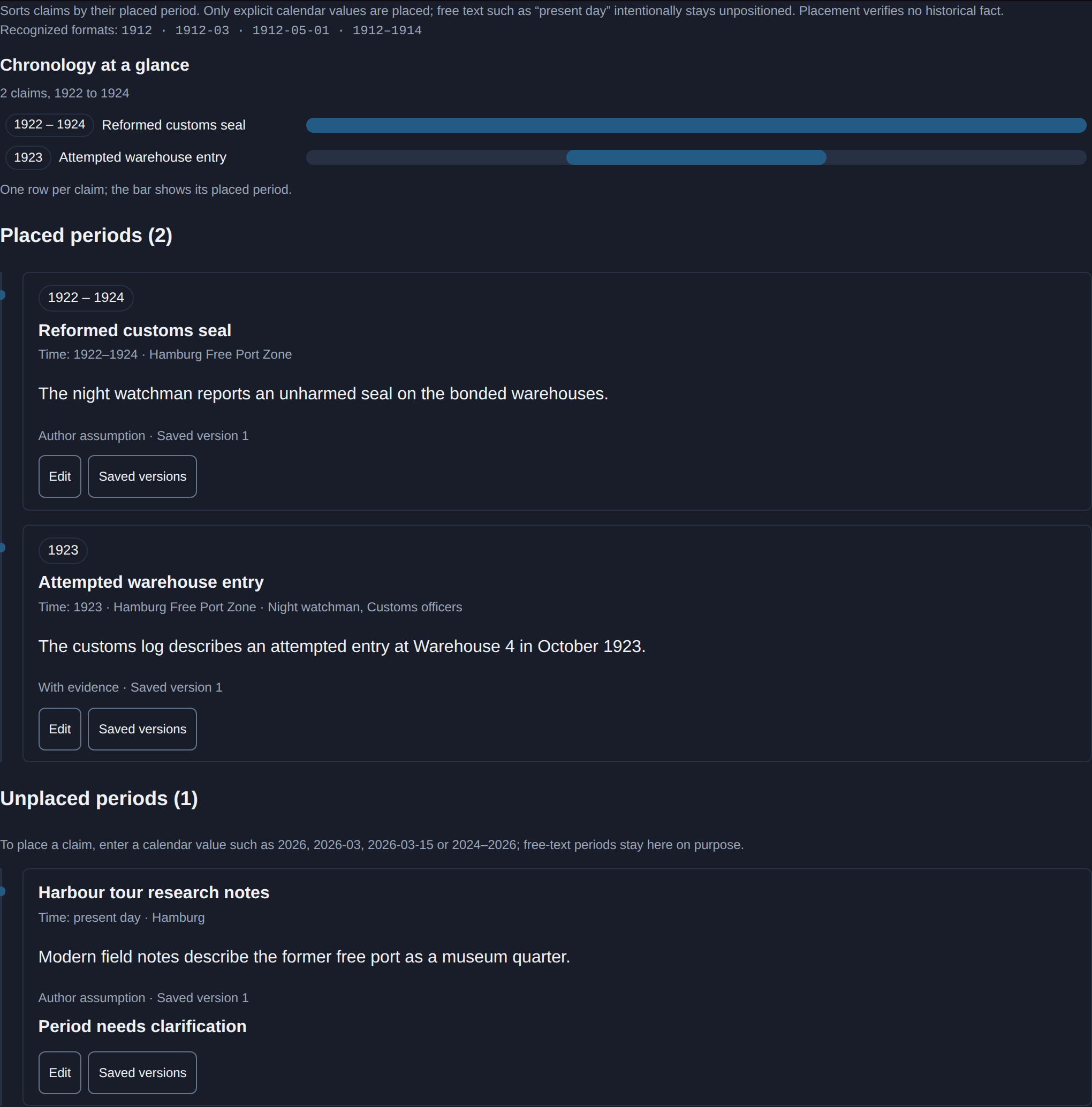
Use Zotero for collecting sources, reading and general notes. Lixity's experimental research workspace connects selected evidence to claims, authorial decisions and manuscript quotations. Dossiers gather material for a topic or scene.
Capture selected Zotero attachments or import authorized local files. Retained versions preserve the evidence used by a claim independently of Zotero; a saved quotation does not establish that it is true.
The timeline is a view inside Claims & evidence. Edits outside a quote can be re-pinned explicitly; an edited quote stays in review, because only you can decide whether the meaning survived. Follow the research workflow.
Since v0.7.0: explore a harbour research dossier with a historical map, a photochrom print and fictional walking/driving paths. Source credits and authored scene decisions remain visible.
Lixity keeps manuscript analysis, research and project settings in three clear views. Open a folder, confirm the language, and adjust detection thresholds when you need to.
By default, language and detection thresholds apply to the server session. Project metadata and chapter registers are saved in the selected project; the controls explain their scope.
Set up your first project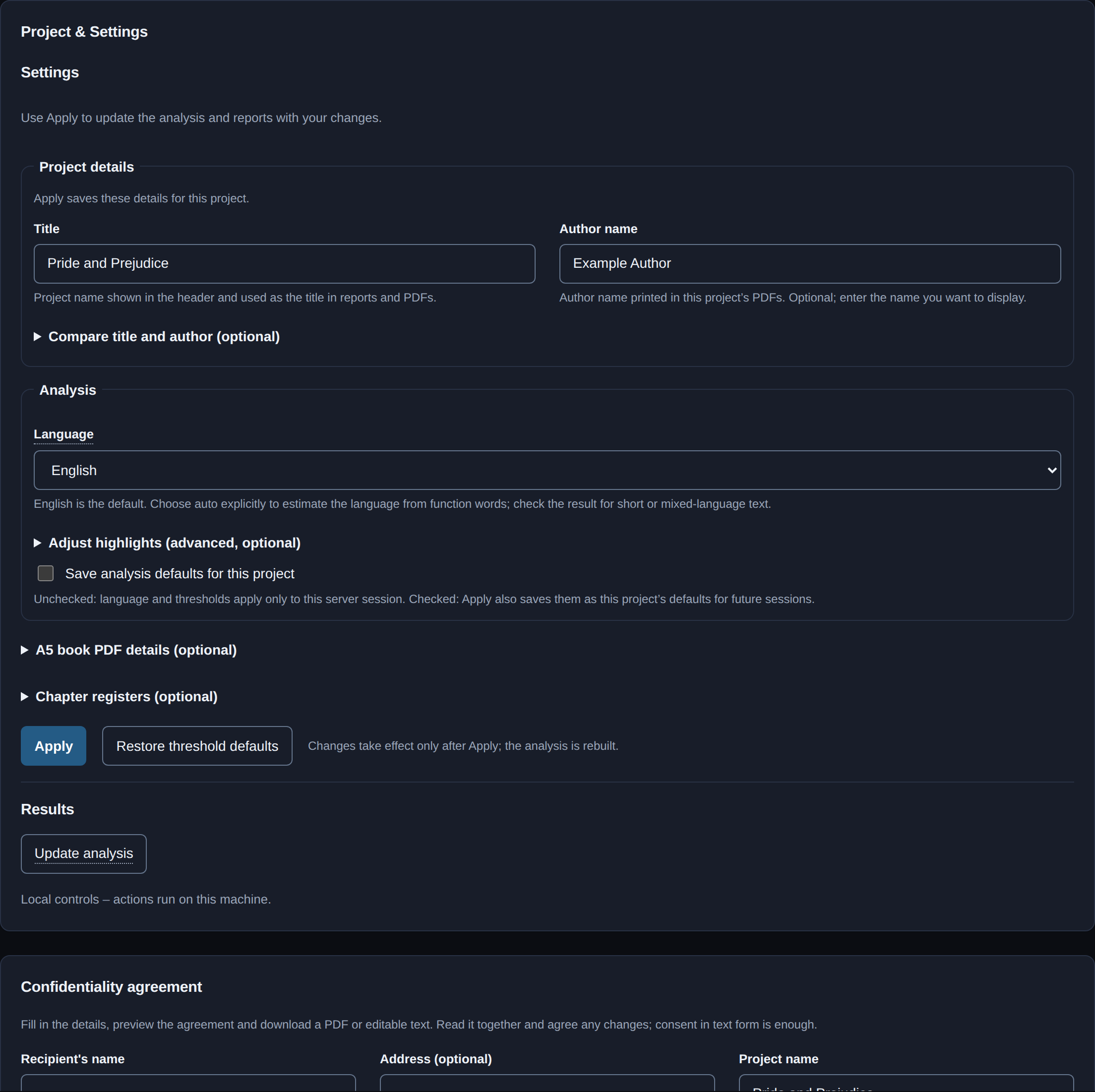
CLI and Python interfaces expose the core analysis and research workflows: JSON for your scripts, Markdown and PDF for reading, and a single-file HTML report you can share.
Use lixity about --json and command help to inspect installed capabilities. The Python API and native HTTP interface have separate, documented contracts.
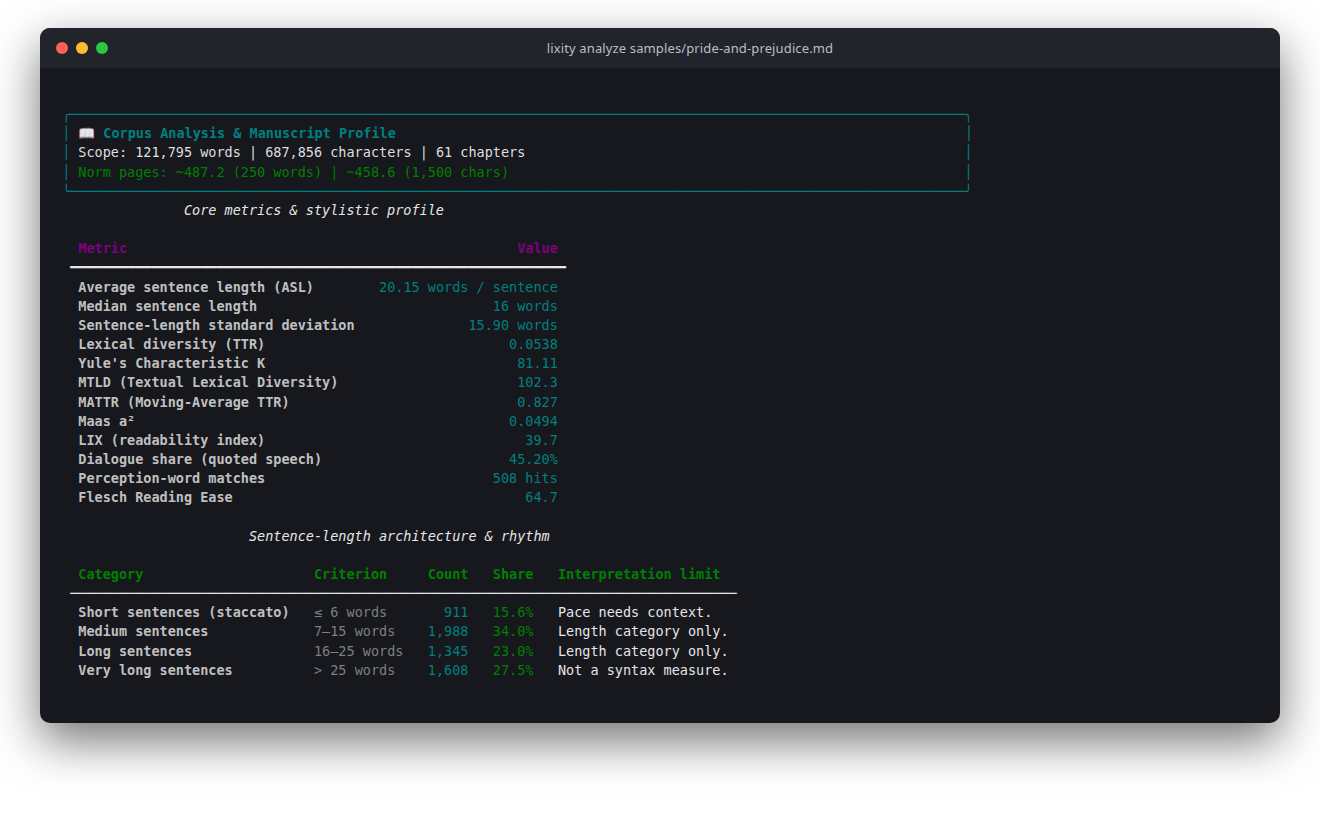
Open an image to see it at full size. Examples use public-domain literature or synthetic project records. More views and capture details
Matthias Fahsold developed Lixity at ROST Services GmbH and used it while writing his own debut novel. He is the software architect and developer behind the product.
Product, JSON and archive versions are independent; research workflows and compatibility are documented separately, and the validation register states what the numbers do not establish.
Explore dashboards for the opening chapters of two public-domain novels, or PDF reports for the complete books. No installation, account or upload.
Theodor Fontane's novel in German. PDF report for the complete book. Since v0.7.0: editorial copy of the opening chapters.
Jane Austen's novel in English. PDF report for the complete book.
Six invented chapters for trying chapter comparisons and paragraph controls.
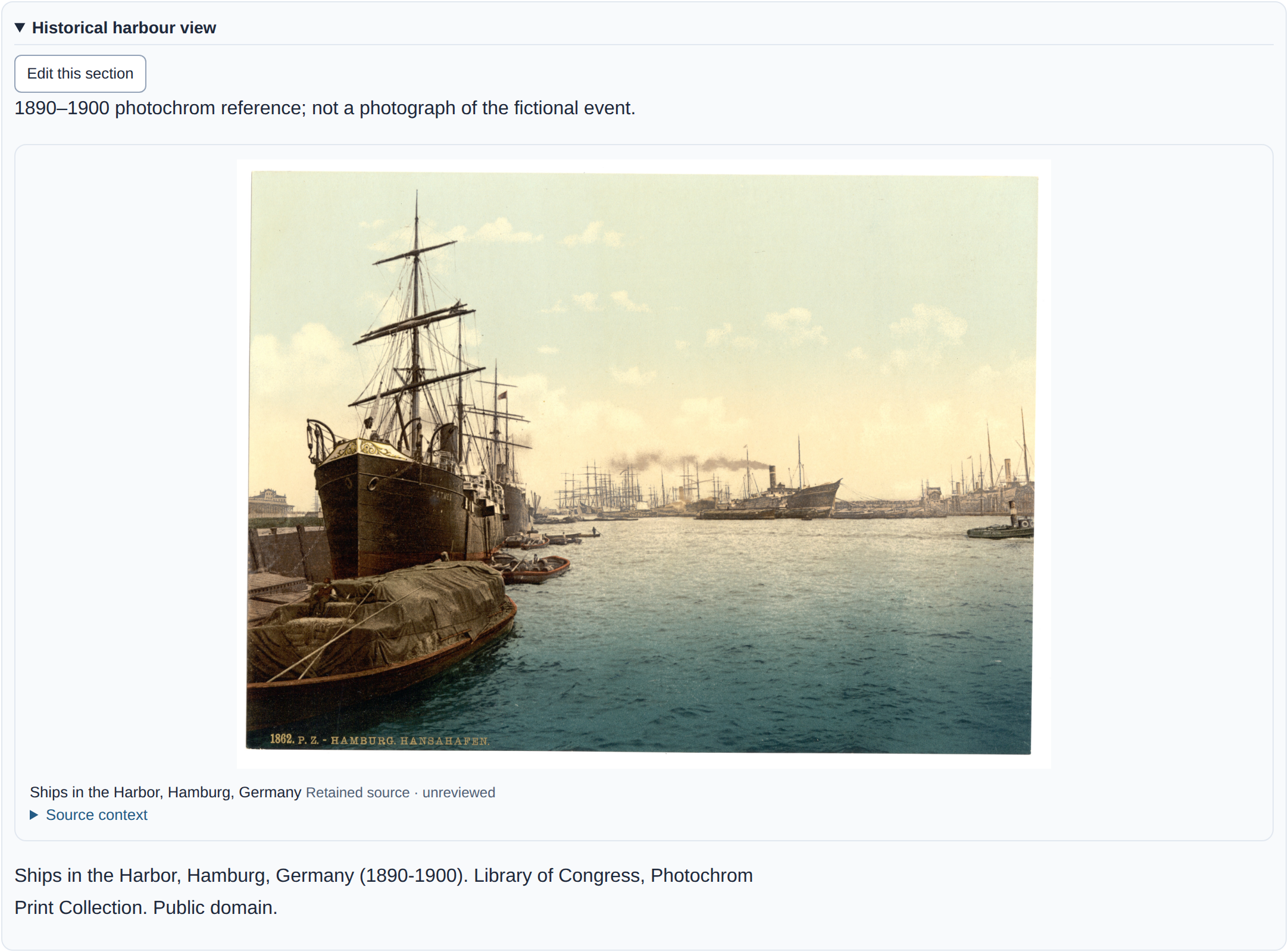
Historical images, source provenance and fictional places and paths in a read-only dossier. Available since v0.7.0.
New here? The three-minute first look needs no setup. These guides assume no technical background; the developer reference for commands, JSON contracts and architecture is linked in the page footer and in the documentation map.
Set up Lixity, create a report and return to an existing project.
Read language signals with their text requirements and limitations.
Grammar checkers, corpus tools, stylometry packages and Lixity — which fits which job.
Retain selected evidence, work with PDF scans and test a backup.
These terminal commands use uv to install the published package from PyPI with managed Python. No Git or separate Python install is needed; the installation guide covers Windows, macOS and Linux, the pinned release wheel with checksums, and updates or removal.
uv tool install --python 3.12 --managed-python lixity
uv tool update-shell
Open a new terminal, then verify and start the app:
lixity --version
lixity service start --open
The app starts an empty local workspace: choose Open Project or Analyze a manuscript, confirm the language and read a passage. English is the default; automatic detection is an explicit choice. Use lixity service status, lixity service restart or lixity service stop for the managed instance.
Lixity measures language patterns; it does not grade literary quality or prescribe a style. A deliberate change in voice, register or subject can explain a signal.
Chapter comparisons use the book's middle values and typical spread (median and MAD), with an adjustment for estimated sampling noise. Colours show the direction of a difference. Optional statistical checks mark a selection for review; you decide what the passages mean for the book.
Documentation is English; reports and the interface offer seven languages. German and English have the most extensive linguistic resources and language-specific fixtures. French, Spanish, Italian, Portuguese and Dutch have narrower heuristic coverage and validation. Mathematical identifiers stay language-neutral.
Formulas and sources · Language support · Validation and limitations
from lixity import api

html = api.dashboard(text, language="de", project_config={})
Use api.analyze for metrics or api.fingerprint for a style reference. Each convenience call runs its own analysis; reuse analyze_document results when an integration needs several outputs. Analysis/profile JSON uses schema v2; style JSON uses v4. Pass explicit settings for each project. Interface contracts · Architecture.
Built-in analysis and dashboard generation run on your computer without cloud calls. Optional integrations and separately configured workers have their own setup and data handling.
Analysis describes patterns and links to passages. It does not rewrite prose. Review notes and research decisions are actions you choose yourself.
No. A number describes one measured aspect of this text under particular assumptions. Read the affected passages and consider their purpose. Short texts, dialect, historical spelling and mixed languages need particular care.
Open source under the AGPL-3.0-or-later. Use Lixity freely for private and commercial writing, research and teaching — including self-publishing your book; no extra permission is needed. If you distribute Lixity or a modified version, the AGPL requires that recipients receive the corresponding source under the same license.
A separate written commercial license is available for integrations that cannot meet the AGPL, for example embedding Lixity in a closed-source product or running a modified version as a network service without releasing its source.
Licensing guide · Full terms · Commercial enquiries
Maintainer: Matthias Fahsold, Hamburg, Germany. Project operator: ROST Services GmbH, Rümpel, Germany.
Managing directors: René Fromhagen, Timo Helmsing.
Commercial register: Local Court of Lübeck, HRB 23529 HL.
VAT identification number: DE360042691.
We are neither required nor willing to participate in dispute resolution proceedings before a consumer arbitration board.